PromptFox

A visual prompt keyboard for iPhone.

Your reusable prompts, ready in the apps where you work.

PromptFox is a private, reusable AI prompt keyboard for iPhone: save a prompt once, fill the changing parts, format it for the right tool, and paste it across compatible apps.

Coming soon to the App Store

The Prompt Deck keyboard, built from key faces you design yourself. One pad. One prepared prompt.

How it works

Prepare in the app. Tap to insert in compatible fields.

Save once → fill variables → format for the target tool → insert from the keyboard.

  1. Save once

    Write it in the library

    Write a prompt in the PromptFox app, or start from one of seven offline packs. Mark the parts that change as {{variables}} and give them defaults. Keep it in a collection.

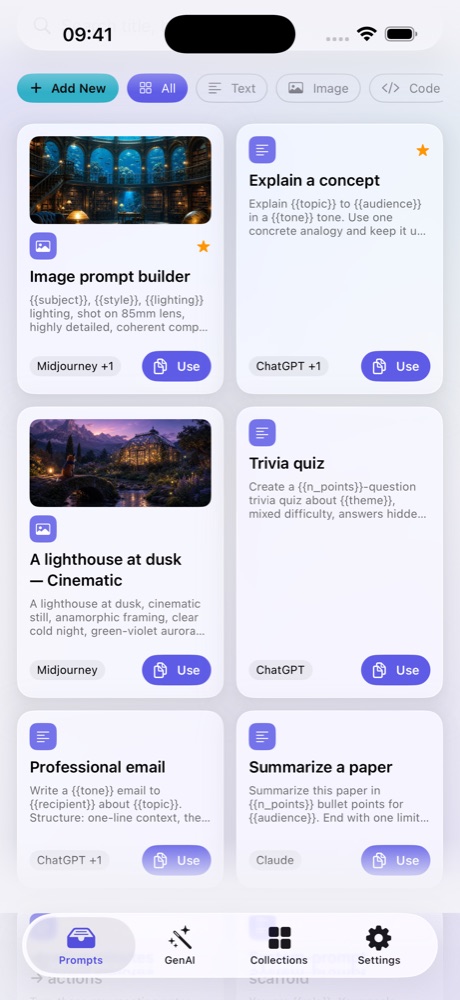
    Library screen: the filter row and the first prompt cards, Image prompt builder and Explain a concept, each tagged with its target tool.
  2. Fill what changes

    Give the variables a value

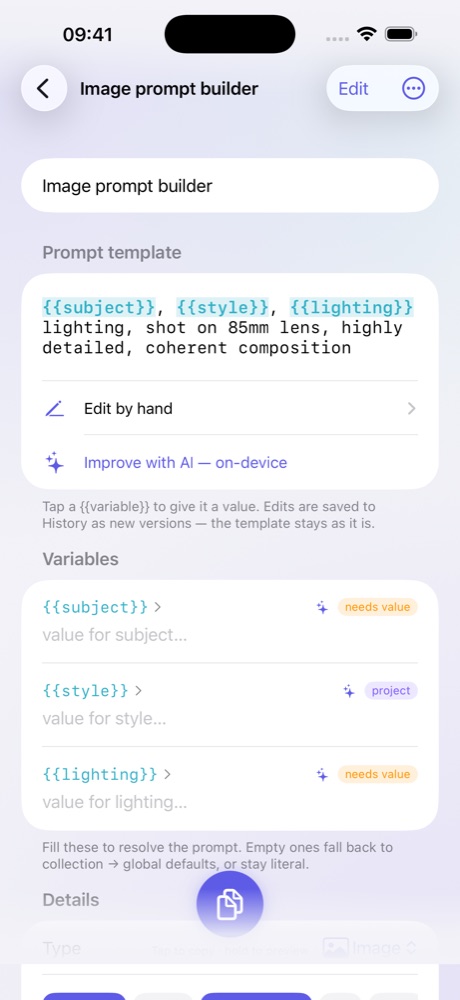
    Fill each variable, or let it fall back to the collection default, then the global one. Choose the target tool and the prompt is formatted for it. Every edit is kept in version history; the template stays as it is.

    The same prompt's Variables list: subject, style and lighting, each with a field for its value, and the hint that empty ones fall back to collection and global defaults.
  3. Tap to insert

    Tap a pad in the keyboard

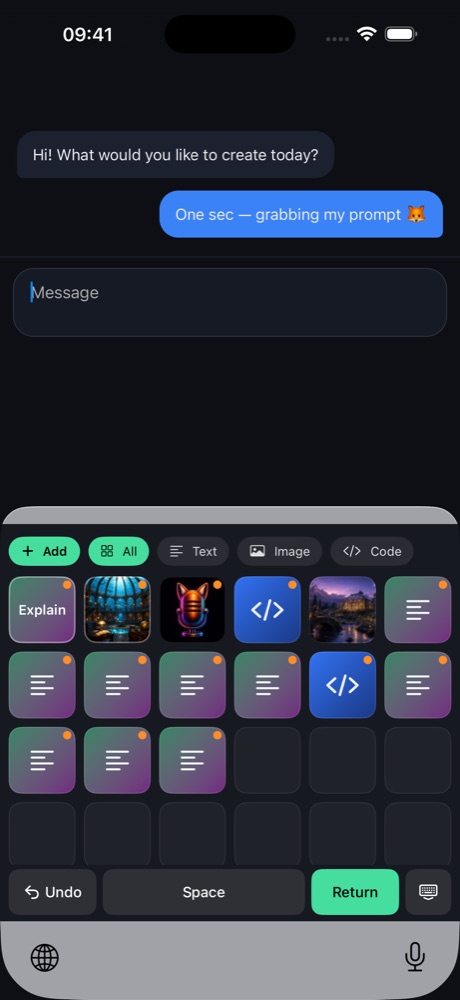
    Switch to the PromptFox keyboard in a compatible app and tap a pad. The prompt's text is inserted into the current field with its variables filled. Hold a pad to peek at its name. There is an Undo button.

    The PromptFox keyboard: an Add button, the filter chips All, Text, Image and Code, a six-column grid of picture, code and text pads, and an Undo, Space and Return row.

Privacy

Nothing phones home.

Four plain facts about what PromptFox does with your prompts. It keeps them on your iPhone.

No network code.
No server, no account, no analytics, no third-party SDKs. App Store privacy label: “Data Not Collected”.
Browse and insert without Full Access.
Reading your prompts and inserting them from the keyboard needs no Full Access.
Add means the text you selected. Only that.
Full Access only enables the keyboard’s Add button, which hands the text you selected to the app — never surrounding text, never keystrokes.
Works where custom keyboards are allowed.
Compatible apps are those that accept custom keyboards. Some text fields block custom keyboards; in those, PromptFox cannot appear, and it does not work around that.

Read the privacy policy

In the app

A control room behind every pad.

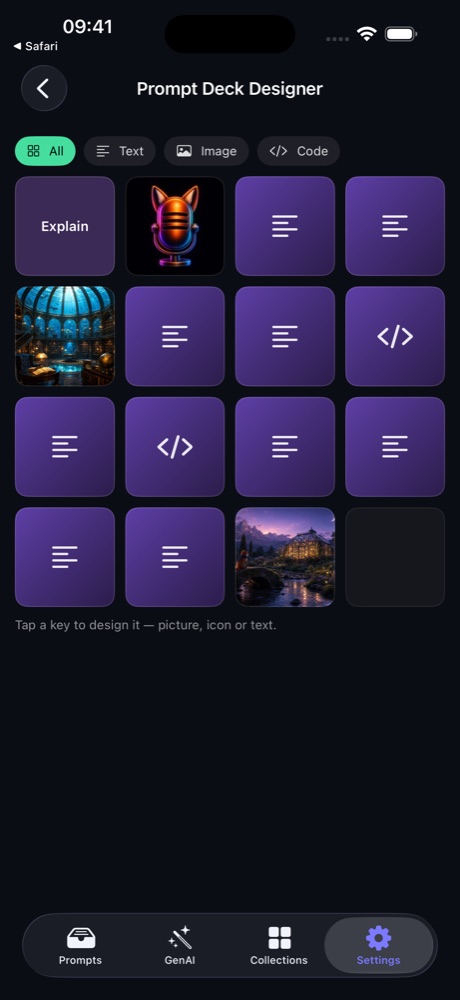
Prompt Deck Designer screen: a four-column grid of key faces — a picture, icon or text on each, one slot still empty — and the hint “Tap a key to design it — picture, icon or text.”

Program the deck.

Every key face is yours to design: your own picture, a neon cap in one of twelve colours with an optional Holo Grid 67 glyph, bundled cyberpunk or pixel key art, or a styled text label. Pressed pads light up; the idle deck in the designer can run a light show, and every effect follows Reduce Motion. The keyboard comes in three styles: Prompt Deck, text list, and list with pictures.

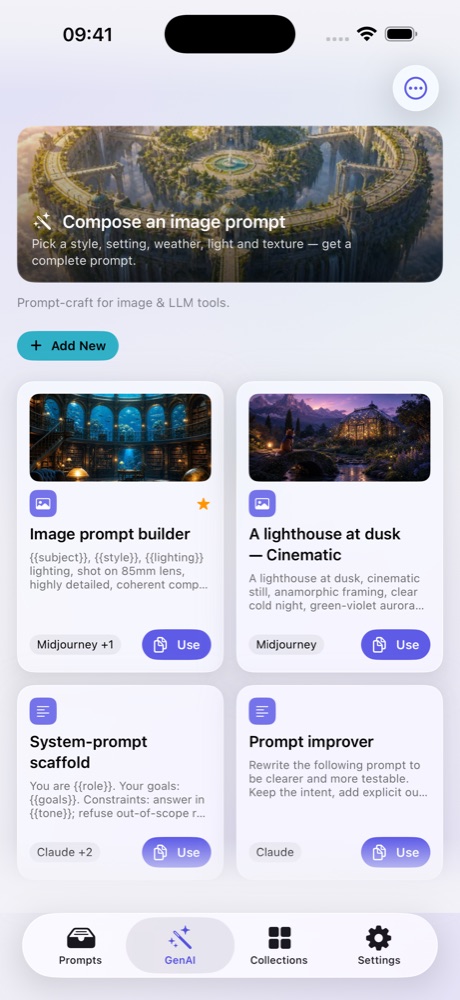
GenAI tab: a “Compose an image prompt” banner above prompt cards — “Image prompt builder” and “A lighthouse at dusk — Cinematic” tagged Midjourney, “System-prompt scaffold” and “Prompt improver” tagged Claude — each with a Use button.

The right format for each AI tool.

Each prompt knows its target: Midjourney --ar and --no, Stable Diffusion, video tools, or plain chat. The keyboard inserts it formatted for that tool.

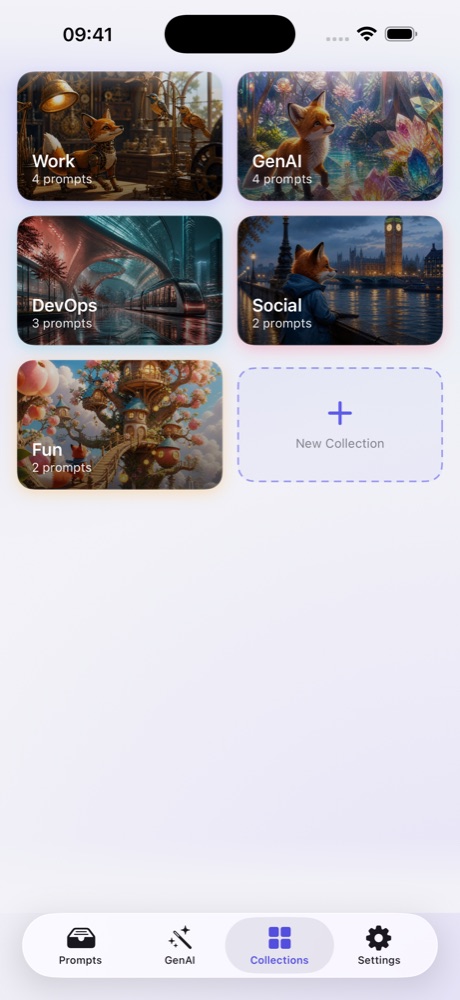
Collections screen: picture tiles named Work, GenAI, DevOps, Social and Fun with prompt counts, and a New Collection tile.

Local library. Your backup.

Prompts live in collections on your iPhone, and a collection carries its own variable defaults for the prompts in it. Export everything you wrote as one JSON file you own — prompts, versions, collections, variables, decks and settings. Attached pictures are not in that file.

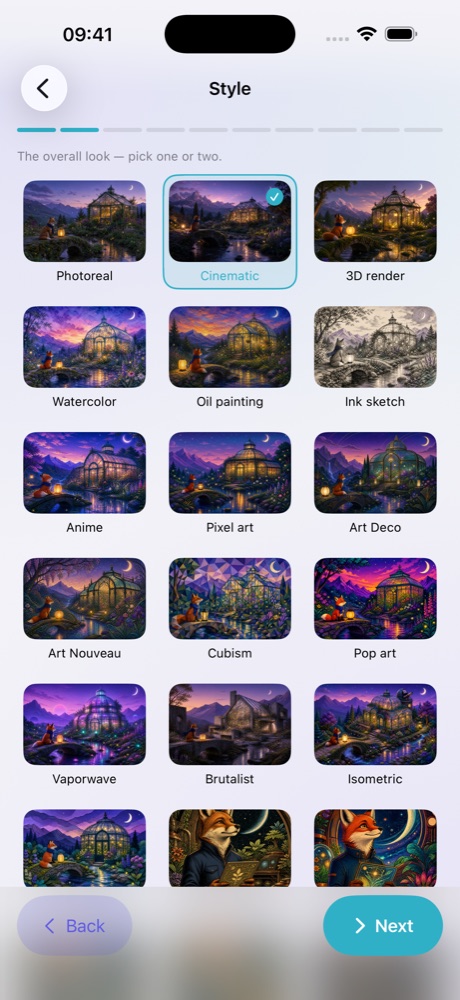
Composer “Style” step: illustrated tiles such as Photoreal, Cinematic, 3D render, Watercolor, Oil painting and Ink sketch, with Cinematic selected.

Build visual prompts, block by block.

The guided Composer walks through styles, settings, weather, lighting, materials and more — 149 building blocks, 124 of them illustrated; camera, mood and aspect are symbol-driven. The result is a complete, ordered prompt saved to your library. PromptFox does not generate images.

Details

Versions, formats, packs, export.

Everything lives on your phone, and everything you wrote can leave with you.

Full version history
Every edit becomes a new version. Open any earlier version, copy it, or make it a template of its own.
Variables that cascade
Defaults fall through from the prompt to its collection to global registers.
Per-tool formatting
Midjourney (--ar, --no), Stable Diffusion, video tools and plain chat each get the syntax they expect.
7 offline packs, 96 prompts
  • Code & Dev
  • Image Editing
  • Image Generation
  • Video Generation
  • Visual Styles
  • Work & Office
  • Writing & Text
Three keyboard styles
Prompt Deck with icon keys (hold a key to peek at its name), a text list, or a list with pictures. There is an Undo button.
One JSON file you own
Export prompts, versions, collections, variables, decks and settings — text only, no attached pictures.
On-device intelligence, optional
With Apple Intelligence on iOS 26 and eligible devices: Prompt Doctor rewrites, variable value suggestions, Variablize, and title and collection suggestions. Everything else works without it.
Requirements
iPhone, iOS 17 or later. The keyboard is an optional extension you enable in Settings.